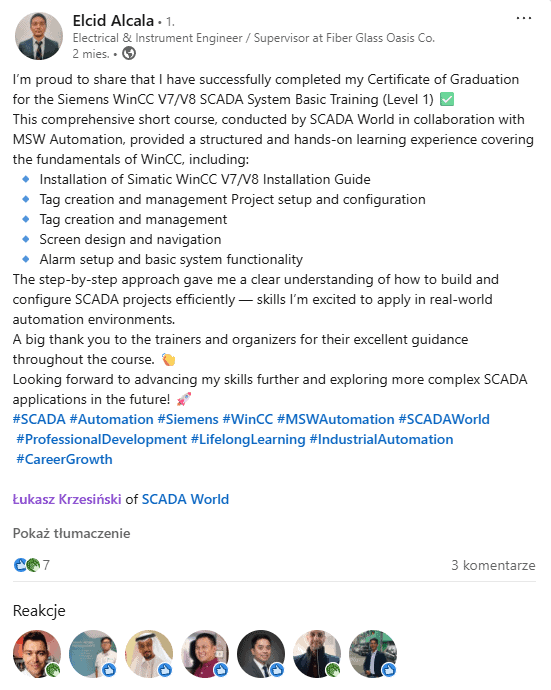
“The step-by-step approach gave me a clear understanding of how to build and configure SCADA projects efficiently.”
Elcid Alcala Electrical & Instrument Engineer / Supervisor View original LinkedIn post
Classroom route: often $5,500+ total | This course: start with $1
Estimate: ~$3,500 training plus travel, hotel and time away from work.
Estimate: ~$3,500 training plus travel, hotel and time away from work.
Build a WinCC V7/V8 SCADA project you can show at work or in your portfolio
Practical online course for automation engineers, electricians, and anyone growing in SCADA.
Step by step you build a complete water treatment plant application: screens, tags, alarms, trends, users, and archiving.
30-day guarantee
Lifetime access
Community support on Discord / email
Phase 1, Start (1-3)
1 Game Plan2 Fundamentals3 Install + DEMO
Phase 2, Build (4-6)
4 Project Mgmt5 Tags6 Screens
Phase 3, Extend (7-11)
7 Alarms8 Trends9 Users10 Multilingual11 Scripts
Phase 4, Finale (12)
12 Certificate
Phase 1, Start (1-3)
1 Spielplan2 Grundlagen3 Installation + DEMO
Phase 2, Aufbau (4-6)
4 Projekt5 Tags6 Bildschirme
Phase 3, Ausbau (7-11)
7 Alarme8 Trends9 Benutzer10 Mehrsprachig11 Skripte
Phase 4, Finale (12)
12 Zertifikat
Verified student outcomes
What engineers achieved after the course
“A very helpful course for someone learning WinCC from scratch. The lessons are clearly divided and easy to understand.”
Janik Eckstein Student“SCADA World courses helped me move from instrumentation engineer to automation engineer. The knowledge was valuable during job interviews.”
Kenyon Automation EngineerFrequently asked questions about the WinCC Basic course
Do I need WinCC experience before the course?
No. I explain everything from scratch: installing the free DEMO license, configuring the project, and building a working SCADA application.
What will I build in the course?
A complete SCADA project for a water treatment plant: screens, tags, alarms, trends, users, and data archiving.
Do I need travel or classroom training?
No. You learn online, at your own pace, with lifetime access to course materials.
Can I get an invoice?
Yes. Business invoices are available. Secure checkout via Stripe.
What you'll be able to do after the course
After the course you have a finished SCADA project and hands-on practice with real WinCC V7/V8 building blocks.
🏗️
PRACTICAL PROJECT
Build a complete SCADA system for a water treatment plant = portfolio-ready work
💻
120+ VIDEO LESSONS (Online)
12 modules, 5-20 min each. No travel, your own pace
🤝
SUPPORT + COMMUNITY
Discord community + regular updates. You're never alone
Start building my portfolio ➔
★ BONUS: Certificate of completion | Lifetime access
🎥
120+
VIDEO LESSONS
🕐
18
HOURS OF CONTENT
👥
379
STUDENTS
Who is this WinCC course for?
If you work in automation, electrical engineering, or want to move into SCADA projects, this path takes you from setting up the environment to your own WinCC V7/V8 project.
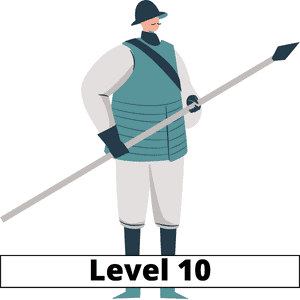
Level 10
Engineer starting with WinCC
You know automation, PLC, or HMI basics but want to enter SCADA and understand WinCC step by step.
You start with installation and the free DEMO license and finish with a working project.
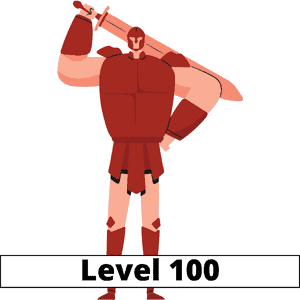
Level 100
Experienced engineer / maintenance
FOR PRACTICING ENGINEERS
You work in maintenance or automation projects and need to understand WinCC V7/V8 quickly.
✅ Learn WinCC without classroom training
✅ Structure knowledge from basics to a practical project
✅ See how to build screens, alarms, trends, and archiving
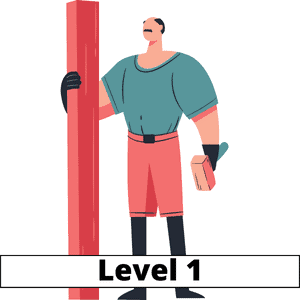
Level 1
Student or growing in automation
You have theory but lack a practical project you can show in your portfolio or at a job interview.
You'll build a real SCADA application instead of another exercise without context.
Sound like you? Start with the free lessons.
CHOOSE MY PATH ❯Curriculum
Your path in 12 steps
The curriculum takes you from installing WinCC and activating the free DEMO license to a complete SCADA project: screens, tags, alarms, trends, users, data archiving, and a certificate of completion.
PHASE 1: START (1-3), "Environment setup"
This starter module helps you learn the training platform and join the student Discord group. You'll also see how to work through the course to get the most out of it in the shortest time.
- Welcome!
- Game plan
- Course overview
- How to study this course?
- Requirements
- Homework
PHASE 2: BUILD (4-6), "First working project: tag & screen"
PHASE 3: ADD FEATURES (7-11), "Complete system"
PHASE 4: FINALE (12), "Certificate"
You have a clear plan. Now choose your package.
You get 12 modules, a WinCC V7/V8 SCADA project, lifetime access, and a 30-day money-back guarantee.
See available packages ❯Programm
Ihr Weg in 12 Schritten
Das Curriculum führt Sie von der WinCC-Installation und der kostenlosen DEMO-Lizenz bis zum kompletten SCADA-Projekt: Bildschirme, Tags, Alarme, Trends, Benutzer, Datenarchivierung und Abschlusszertifikat.
PHASE 1: START (1-3), "Umgebung einrichten"
Dieses Einstiegsmodul hilft Ihnen, die Lernplattform kennenzulernen und der Discord-Gruppe beizutreten. Sie sehen auch, wie Sie den Kurs optimal durcharbeiten.
- Welcome!
- Game plan
- Course overview
- How to study this course?
- Requirements
- Homework
PHASE 2: AUFBAU (4-6), "Erstes funktionierendes Projekt: Tag & Bildschirm"
PHASE 3: AUSBAU (7-11), "Alarme, Trends, Benutzer, Archivierung"
PHASE 4: FINALE (12), "Zertifikat"
Sie haben einen klaren Plan. Wählen Sie jetzt Ihr Paket.
Sie erhalten 12 Module, ein WinCC V7/V8 SCADA-Projekt, lebenslangen Zugang und eine 30-Tage-Geld-zurück-Garantie.
Verfügbare Pakete ansehen ❯Programa
Tu camino en 12 pasos
El plan de estudios te lleva desde instalar WinCC y activar la licencia DEMO gratuita hasta un proyecto SCADA completo: pantallas, tags, alarmas, tendencias, usuarios, archivado de datos y certificado final.
FASE 1: INICIO (1-3) - "Preparar entorno"
Este módulo inicial te ayuda a conocer la plataforma y unirte al Discord de estudiantes. También verás cómo estudiar el curso para aprovecharlo al máximo.
- ¡Bienvenido!
- Plan de acción
- Resumen del curso
- ¿Cómo estudiar este curso?
- Requisitos
- Tarea
FASE 2: CONSTRUCCIÓN (4-6) - "Primer proyecto funcional: tag y pantalla"
FASE 3: AMPLIACIÓN (7-11) - "Alarmas, tendencias, usuarios y archivado"
FASE 4: FINAL (12) - "Certificado"
Ya tienes un plan claro. Ahora elige tu paquete.
Obtienes 12 módulos, un proyecto SCADA WinCC V7/V8, acceso de por vida y garantía de devolución de 30 días.
Ver paquetes disponibles ❯STUDENT PROJECTS
This is what SCADA projects look like after SCADA World courses. These are practical HMI/SCADA applications, not theory slides.
Select any project to view it full size. Swipe or use the arrows to see more.
What you'll gain after the course
⚙
Practical SCADA skills. You'll understand how to build a WinCC V7/V8 project: from tags and screens to alarms, trends, users, and archiving.
💬
More independence at work. You'll find it easier to join an existing project, fix a screen, analyze an alarm, or prepare a simple change.
⚠
Fewer project mistakes. You'll learn WinCC logic, licensing, project structure, and the typical places where people get stuck.
$☰
A portfolio project. You finish with a concrete SCADA application you can show in your CV, technical interview, or first client work.
👥
Community access. Use the SCADA World Discord, follow other students' questions, and return to materials when you work on a project.
📈
Better technical conversations. You'll speak more concretely about screens, alarms, trends, archiving, and maintaining WinCC applications.

Meet your instructor
Łukasz Krzesiński
🏭 140+ systems | 🎓 In industrial automation since 2008
Łukasz Krzesiński is a hands-on automation and SCADA engineer with 18 years of experience. He has built and modernized more than 140 SCADA systems for manufacturing plants across Poland and Europe.
He still works on live SCADA projects and upgrades, so the course shows not only WinCC features but also the mindset needed for real applications.
"This course comes from practice: I teach exactly what I wish I had when I started with WinCC."
Free tutorials on the SCADA World YouTube channel
Private Discord community for students
Review the training with a 30-day guarantee
Eligible lifetime-access purchases are covered by our 30-day money-back guarantee under the guarantee terms.
To request help or a refund within the guarantee period, email lukasz@myscadaworld.com.
View access options
Can you learn WinCC another way?
Yes. You can use documentation, YouTube, or classroom training. The difference is how long it takes to organize the knowledge and whether you build a complete project step by step along the way.
YouTube and documentation
Good for quick answers and single problems. Harder to turn into a full path: installation, DEMO license, project structure, screens, tags, alarms, trends, and archiving.
- • lots of searching between materials
- • different WinCC versions and quality levels
- • no single project from start to finish
Classroom training
A good option if your company sends you to official training. Downsides: schedule, travel, cost, and it's hard to revisit every part of the material after a few days.
- • high cost and fixed dates
- • several days away from work or home
- • material ends when training ends
STRUCTURED PATH
This online course
You get a structured path, lifetime access, and a practical SCADA project you can return to whenever you work with WinCC.
- ✓ from installation and DEMO to a complete application
- ✓ water treatment plant project step by step
- ✓ lifetime access, business invoice, and 30-day guarantee
Watch course samples before you buy
Watch real lessons from inside the course: the learning platform, SCADA system structures, and WinCC license selection.
3 free demo lessons
Inside the course platform
SCADA system structures
Selecting WinCC licenses
Choose Your Access
Start with the $1 trial, choose lifetime access, or compare the full membership.
Online course vs. classroom training
| SCADA World Online | Classroom / Siemens | |
|---|---|---|
| Price | $497 lifetime / $1 trial | Often $5,500+ total: training, travel, hotel and time away from work |
| Access | Lifetime, learn anytime | Fixed dates, travel required |
| Re-watch lessons | ✓ Unlimited | ✗ One-time session |
| Practical project | ✓ Water treatment SCADA | Varies |
| Community support | ✓ Discord + email | Limited |
START HERE
7-Day Trial
$1
Full access for 7 days
- All 120+ video lessons
- Downloadable resources
- Discord community
- Cancel anytime
$1 for 7 days, then $49/month unless cancelled during the trial
Most Popular
Lifetime Access
$497
One-time payment
- All 120+ video lessons
- Lifetime access
- Course updates included with lifetime access
- Certificate of Completion
- Priority email support
30-day money-back guarantee
Best Value
Full Membership
from $299/year
Access ALL courses
- This course + ALL others
- WinCC, FactoryTalk, MODBUS...
- Multiple industrial automation courses
- New courses added regularly
Best for multiple courses
Frequently Asked Questions
Can't find your answer? Email us at lukasz@myscadaworld.com
Trial & Money-Back Guarantee
It's simple! Pay just $1 for 7 days of full access to the entire course. Watch all 120+ lessons, download resources, and join our Discord community. If you love it, do nothing, you'll be upgraded to the full course. If not, cancel anytime with one click.
Eligible lifetime-access purchases are covered by the 30-day money-back guarantee under the guarantee terms. Email lukasz@myscadaworld.com within the guarantee period to request help or a refund.
Yes. You can cancel your $1 trial at any time during the 7 days. If you do not cancel during the trial, access continues automatically at $49/month.
We accept all major credit cards (Visa, MasterCard, American Express), PayPal, and bank transfers. All payments are processed securely through Stripe.
Course Access & Content
Forever! With the Lifetime Access option, you buy once and have access for life. Plus, you get all future updates at no extra cost.
Yes! After purchase, you get immediate access to all 120+ video lessons. Learn at your own pace, no drip content, no waiting.
The course contains about 20+ hours of video content. Most students complete it in 4-6 weeks, studying 1-2 hours per day. But you have lifetime access, learn at whatever pace works for you.
Each lesson is a screen-recorded video (5-20 minutes) showing step-by-step how to build real WinCC projects. You'll also get downloadable project files, PDFs, and checklists.
Yes! The course platform works on any device, computer, tablet, or phone. Learn anywhere, anytime.
Yes! The course includes subtitles in English, German, Spanish, and French. Learn in your preferred language.
Absolutely! The course is regularly updated when Siemens releases new WinCC versions or features. All updates are free for lifetime members.
Technical Requirements
No, the course doesn't include a WinCC license. However, you can use the free trial version from Siemens to practice. We also provide a bonus installation guide + ISO to help you get started.
WinCC V7/V8 has a generous trial mode. You get 21 days of full functionality. After that, you can still work in the editor for 30 minutes at a time, just restart the program to continue. This means you can learn indefinitely without buying a license!
Both! The course covers WinCC V7 and V8. The interfaces are nearly identical, and all techniques work in both versions.
Any modern Windows PC will work. WinCC runs on Windows 10/11. Recommended: 8GB RAM, i5 processor or equivalent. For practice, you don't need a powerful machine.
Not required! While PLC knowledge helps, it's not necessary. Many successful SCADA engineers started with visualization first. In fact, SCADA is closer to IT/software development than hardware, you'll be working with databases, scripts, and system integration.
Is This Course Right For Me?
Absolutely! This course is designed for beginners. We start from the very basics and build up to creating a complete Water Treatment Plant SCADA system. 150+ engineers have completed this course, many starting from zero experience.
Yes! Even experienced users discover new techniques. The course covers advanced topics like VB scripting, SQL integration, alarm management, and optimization. Plus, you can jump to any section you need.
Yes! You get priority email support (response within 24-48h) and our Discord community with 400+ automation engineers.
Yes! After completing the course, you receive a Certificate of Completion that you can add to your LinkedIn profile and resume.
SCADA specialists are in high demand. In the US, salaries range from $70,000 - $120,000+ depending on experience. In Europe, €50,000 - €90,000+. WinCC is the Siemens standard - the dominant automation platform worldwide. Learning WinCC opens doors to better-paying projects and positions.
Definitely! SCADA is essential for every factory, power plant, and water treatment facility. Industry 4.0 and digitalization are increasing demand for SCADA specialists, not reducing it. This is a career with 20+ years of runway.
Still have a question?
Email me directly or book a quick call, I'll help you choose the right learning path.
Häufig gestellte Fragen
Keine Antwort gefunden? Schreiben Sie an lukasz@myscadaworld.com
Testversion & Geld-zurück-Garantie
Ganz einfach! Zahlen Sie nur 1 USD für 7 Tage vollen Zugang zum gesamten Kurs. Sehen Sie alle 120+ Lektionen, laden Sie Materialien herunter und treten Sie unserer Discord-Community bei. Wenn es Ihnen gefällt, tun Sie nichts, Sie werden auf den Vollkurs umgestellt. Wenn nicht, kündigen Sie jederzeit mit einem Klick.
Berechtigte Käufe mit lebenslangem Zugang sind gemäß den Garantiebedingungen durch die 30-Tage-Geld-zurück-Garantie abgedeckt. Schreiben Sie innerhalb der Garantiefrist an lukasz@myscadaworld.com.
Ja. Sie können den $1-Testzugang jederzeit innerhalb der 7 Tage kündigen. Ohne Kündigung wird der Zugang anschließend automatisch für $49 pro Monat fortgesetzt.
Wir akzeptieren alle gängigen Kreditkarten (Visa, MasterCard, American Express), PayPal und Banküberweisungen. Alle Zahlungen werden sicher über Stripe abgewickelt.
Kurszugang & Inhalt
Für immer! Mit Lifetime Access kaufen Sie einmal und haben lebenslangen Zugang. Alle zukünftigen Updates sind ohne Aufpreis inklusive.
Ja! Nach dem Kauf haben Sie sofort Zugang zu allen 120+ Videolektionen. Lernen Sie in Ihrem Tempo, kein Drip-Content, kein Warten.
Der Kurs enthält etwa 20+ Stunden Videomaterial. Die meisten Teilnehmer schließen ihn in 4-6 Wochen ab (1-2 Stunden pro Tag). Sie haben lebenslangen Zugang, lernen Sie in Ihrem Tempo.
Jede Lektion ist ein Bildschirmvideo (5-20 Minuten) mit Schritt-für-Schritt-Anleitung für echte WinCC-Projekte. Sie erhalten außerdem Projektdateien, PDFs und Checklisten zum Download.
Ja! Die Kursplattform funktioniert auf jedem Gerät, Computer, Tablet oder Smartphone. Lernen Sie überall, jederzeit.
Ja! Der Kurs enthält Untertitel in Englisch, Deutsch, Spanisch und Französisch. Lernen Sie in Ihrer bevorzugten Sprache.
Absolut! Der Kurs wird regelmäßig aktualisiert, wenn Siemens neue WinCC-Versionen oder Funktionen veröffentlicht. Alle Updates sind für Lifetime-Mitglieder kostenlos.
Technische Anforderungen
Nein, der Kurs enthält keine WinCC-Lizenz. Sie können jedoch die kostenlose Testversion von Siemens zum Üben nutzen. Wir liefern auch einen Bonus-Installationsleitfaden + ISO.
WinCC V7/V8 hat einen großzügigen Testmodus. Sie erhalten 21 Tage volle Funktionalität. Danach können Sie im Editor weiterarbeiten (30 Minuten pro Sitzung, Programm neu starten). So können Sie unbegrenzt lernen ohne Lizenzkauf!
Beides! Der Kurs deckt WinCC V7 und V8 ab. Die Oberflächen sind nahezu identisch, alle Techniken funktionieren in beiden Versionen.
Jeder moderne Windows-PC reicht. WinCC läuft unter Windows 10/11. Empfohlen: 8 GB RAM, i5 oder vergleichbar. Zum Üben brauchen Sie keine leistungsstarke Maschine.
Nicht erforderlich! SPS-Kenntnisse helfen, sind aber nicht nötig. Viele erfolgreiche SCADA-Ingenieure starteten mit Visualisierung. SCADA ist näher an IT/Softwareentwicklung - Datenbanken, Skripte, Systemintegration.
Ist dieser Kurs richtig für mich?
Absolut! Der Kurs ist für Anfänger konzipiert. Wir starten bei den Grundlagen und bauen ein komplettes Wasseraufbereitungs-SCADA-System. 150+ Ingenieure haben den Kurs abgeschlossen, viele ohne Vorerfahrung.
Ja! Auch erfahrene Nutzer entdecken neue Techniken. Der Kurs behandelt VB-Skripting, SQL-Integration, Alarmmanagement und Optimierung. Sie können zu jedem Abschnitt springen.
Ja! Sie erhalten Priority-E-Mail-Support (Antwort innerhalb von 24-48h) und Zugang zu unserer Discord-Community mit 400+ Automatisierungsingenieuren.
Ja! Nach Abschluss erhalten Sie ein Abschlusszertifikat für LinkedIn und Ihren Lebenslauf.
SCADA-Spezialisten sind stark gefragt. USA: 70.000-120.000+ USD. Europa: 50.000-90.000+ EUR. WinCC ist der Siemens-Standard weltweit, WinCC-Kenntnisse öffnen Türen zu besser bezahlten Projekten und Positionen.
Definitiv! SCADA ist essenziell für jede Fabrik, jedes Kraftwerk und jede Wasseraufbereitung. Industrie 4.0 und Digitalisierung erhöhen die Nachfrage nach SCADA-Spezialisten. Eine Karriere mit 20+ Jahren Perspektive.
Bereit für Ihre WinCC-Reise?
Testen Sie den vollständigen Kurs 7 Tage lang für $1
1-USD-Testversion startenNoch eine Frage?
Schreiben Sie mir direkt oder buchen Sie ein kurzes Gespräch, ich helfe Ihnen, den richtigen Lernpfad zu wählen.
Preguntas frecuentes
¿No encuentras tu respuesta? Escríbenos a lukasz@myscadaworld.com
Prueba y garantía de devolución
Es muy simple. Pagas solo $1 por 7 días de acceso completo al curso entero. Mira las 120+ lecciones, descarga materiales y entra en la comunidad de Discord. Si te gusta, no haces nada y pasas al curso completo. Si no, cancelas cuando quieras con un clic.
Las compras de acceso de por vida que cumplan los requisitos están cubiertas por la garantía de devolución de 30 días según sus condiciones. Escribe a lukasz@myscadaworld.com durante el periodo de garantía.
Sí. Puedes cancelar la prueba de $1 en cualquier momento durante los 7 días. Si no cancelas durante la prueba, el acceso continúa automáticamente por $49 al mes.
Aceptamos las principales tarjetas (Visa, MasterCard, American Express), PayPal y transferencia bancaria. Todos los pagos se procesan de forma segura con Stripe.
Acceso y contenido del curso
Para siempre. Con acceso de por vida pagas una vez y conservas acceso permanente. Todas las futuras actualizaciones están incluidas.
Sí. Después de la compra obtienes acceso inmediato a las 120+ lecciones en video. Aprendes a tu ritmo, sin esperas.
El curso incluye aproximadamente 20+ horas de video. La mayoría lo termina en 4-6 semanas estudiando 1-2 horas al día.
Cada lección es un video de pantalla (5-20 minutos) paso a paso para proyectos WinCC reales. También tienes archivos del proyecto, PDFs y checklists para descargar.
Sí. La plataforma funciona en ordenador, tablet y smartphone.
Sí. Incluye subtítulos en inglés, alemán, español y francés.
Sí. Actualizamos regularmente cuando Siemens publica nuevas versiones o funciones. Para acceso de por vida, las actualizaciones son gratis.
Requisitos técnicos
No, el curso no incluye licencia WinCC. Puedes practicar con la versión de prueba gratuita de Siemens.
WinCC V7/V8 tiene modo de prueba amplio: 21 días de funcionalidad completa. Después puedes seguir trabajando en el editor por sesiones de 30 minutos.
Ambos. El curso cubre WinCC V7 y V8.
Cualquier PC Windows moderno sirve. Recomendado: Windows 10/11, 8 GB RAM, i5 o equivalente.
No es obligatorio. Ayuda, pero no es requisito. Muchos ingenieros SCADA empezaron primero por visualización.
¿Es este curso para mí?
Sí. Está diseñado para principiantes. Empezamos desde cero y construimos un SCADA completo de planta de agua.
Sí. Incluso usuarios con experiencia encuentran técnicas nuevas: VB scripting, SQL, alarmas y optimización.
Sí. Incluye soporte prioritario por email (respuesta en 24-48h) y nuestra comunidad de Discord con 400+ ingenieros.
Sí. Al completar el curso recibes certificado de finalización para LinkedIn y CV.
Hay alta demanda: en EE. UU. $70,000-$120,000+; en Europa 50,000-90,000+ EUR, según experiencia.
Definitivamente. SCADA es esencial en fábricas, energía y tratamiento de agua. La demanda sigue creciendo con Industry 4.0.
¿Listo para empezar tu camino con WinCC?
Prueba el curso completo durante 7 días por $1
Iniciar mi prueba de $1¿Tienes otra pregunta?
Escríbeme directamente o reserva una llamada rápida. Te ayudo a elegir el mejor camino de aprendizaje.