I have the WinCC Basic course, is Advanced right for me?
Yes. Advanced picks up where Basic leaves off: SQL, Excel reports, faceplates, WebUX, redundancy, and server-client, topics not covered in Basic.

For engineers who know WinCC basics
Build advanced WinCC V7/V8 solutions with SQL, reports, faceplates, redundancy and server-client architecture.
150+ lessons | 18h of content | $1 trial or $1,497 lifetime access
VIEW ACCESS OPTIONSYes. Advanced picks up where Basic leaves off: SQL, Excel reports, faceplates, WebUX, redundancy, and server-client, topics not covered in Basic.
Basic teaches building a SCADA project from scratch. Advanced covers enterprise topics: SQL, Excel, faceplates, WebUX, redundancy, server-client. You can get both in the full membership.
No. You use the same environment as Basic. WinCC V7 or V8 (DEMO license is enough for practice).
Yes. Start with a $1 trial for 7 days. Business invoices available. Secure checkout via Stripe.
150+ HD video lessons. This step-by-step training walks you through each module to build advanced WinCC skills.
Dedicated modules on SQL, faceplates, and MS Excel reports, step by step.
Łukasz Krzesiński is a practitioner with 18 years of corporate HMI/PLC/SCADA experience. He has built 140+ SCADA systems and still delivers projects today.
The course uses practical SIMATIC WinCC examples from real engineering work.
Use scripts, popups, and templates as reference implementations. The resources include motor-station templates, report layouts, scripts and documentation.
Adapt and verify each resource in your own WinCC environment.
Walk through every process step by step, from cloud connectivity and custom reports to WinCC access from tablet or smartphone.
Many PDF guides you can use on the job.
Join a closed expert group to discuss modules and real-world application.
Private Discord community and Q&A support from Luke.
Complete the course and homework to earn a certificate of completion.
Document the advanced WinCC V7/V8 topics you studied and practiced.
Pay once for lifetime access to this course.
Course updates and the listed bonus modules are included.
After this course you will:
Create professional reports (Report Designer, Excel)
Connect WinCC to SQL, MySQL, and Oracle databases
Build reusable faceplates and motor-station templates
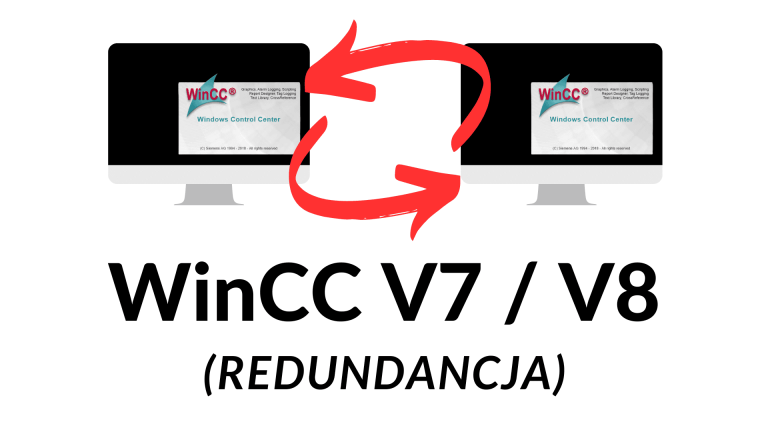
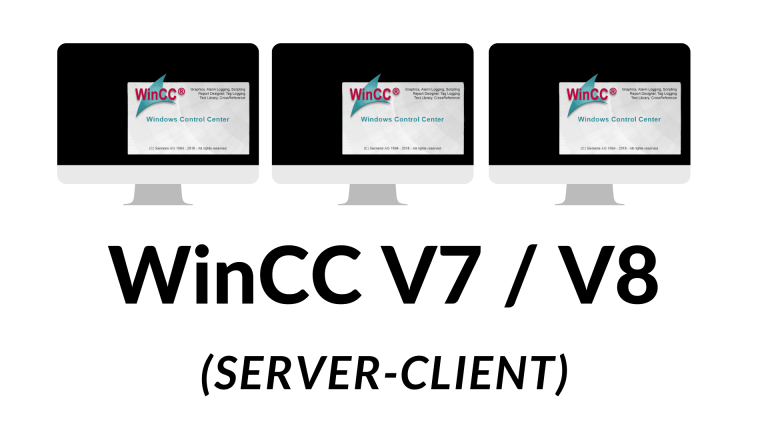
Deploy redundancy and server-client architecture
Curriculum
Programm
Programa
Master 3 technologies that set you apart in the market
50+ scripts and faceplates ready to use
Learn to avoid errors when building and maintaining Simatic WinCC SCADA systems.
Build SQL and Excel reporting workflows for production and maintenance data
Meet other students and the instructor in a private group, build your network and learn how other companies work.
Redundancy and server-client are enterprise topics

🏭 140+ systems | 🎓 In industrial automation since 2008
Łukasz Krzesiński is a practitioner with years of corporate HMI/PLC/SCADA experience. He has built 140+ SCADA systems for companies including SEAT, Faurecia, SKF, ThyssenKrupp, and Nedschroef.
He still actively builds SCADA systems and advises on modernization projects across Europe.
"I created the course I needed at the start of my career, no documentation, nobody had time to explain."
Free tutorials on the SCADA World YouTube channel
Private Discord community for students
Read documented experiences from engineers who used the training
Reviews come from customers who used the product and are published according to our terms.
Eligible lifetime-access purchases are covered by our 30-day money-back guarantee under the guarantee terms.
To request help or a refund within the guarantee period, email lukasz@myscadaworld.com.
View access options
Of course you can!
Here is what you could do instead of joining SCADA system programming SIMATIC WinCC V7/V8 (Advanced):
Or join this 12-module program and master advanced WinCC V7/V8 options.
Your convenience:
Online. From home.
Evenings, weekends, or between shifts.
See for yourself that you learn from a practitioner.
Watch the teaching style and technical depth before you choose.
Lecture 7 from Module 5: Historical Trends
A complete course lesson, not a promotional trailer. The full program contains 150+ lessons.
More free previews
Start with the $1 trial, choose lifetime access, or compare the full membership.
Can't find your answer? Email us at lukasz@myscadaworld.com
It's simple! Pay just $1 for 7 days of full access to the entire Advanced course. Watch all 150+ lessons, access SQL scripts, and join our Discord community. If you love it, do nothing, you'll be upgraded to the full course. If not, cancel anytime with one click.
No problem! You have a 30-day money-back guarantee. If the course doesn't meet your expectations, just email us and we'll refund you, no questions asked.
Yes. You can cancel your $1 trial at any time during the 7 days. If you do not cancel during the trial, access continues automatically at $49/month.
We accept all major credit cards (Visa, MasterCard, American Express), PayPal, and bank transfers. All payments are processed securely through Stripe.
Recommended but not required. This Advanced course assumes you know WinCC basics (creating screens, tags, alarms). If you've completed our Level 1 course or have equivalent experience, you're ready. If you're a complete beginner, we recommend starting with Level 1.
This course covers professional-level techniques:
SQL Integration: Connect WinCC to SQL Server, create custom queries, build historical data dashboards.
Advanced Reports: Design professional reports with Excel integration, automated scheduling, and custom templates.
Redundancy: Set up failover systems for 24/7 critical operations.
VBS Scripting: Advanced automation, dynamic graphics, and system optimization.
Yes. Lifetime access includes the listed SQL scripts, report templates, Excel integration examples, and redundancy configuration files. Treat them as reference material and verify them for your own project.
With Lifetime Access ($1,497), you pay once and retain access to the course. Course updates and the listed bonus materials are included.
Yes. After purchase, you get immediate access to 150+ video lessons across 12 modules. Learn at your own pace.
The course contains about 18 hours of video content. Completion time depends on your schedule and the time you spend on exercises.
Yes! The course platform works on any device, computer, tablet, or phone. Learn anywhere, anytime.
Yes! The course includes subtitles in English, German, Spanish, and French. Learn in your preferred language.
Course updates that are added to this training are included for Lifetime members.
No, the course doesn't include a WinCC license. However, you can use the free trial version from Siemens to practice. WinCC V7/V8 has a generous trial mode that allows you to learn indefinitely.
For the SQL modules, yes. We show you how to install SQL Server Express (free) step by step. The free version is perfect for learning and even many production environments.
Both! The course covers WinCC V7 and V8. The interfaces are nearly identical, and all techniques work in both versions.
Any modern Windows PC will work. For SQL and redundancy labs, we recommend: Windows 10/11, 16GB RAM (8GB minimum), i5 processor or equivalent, and 50GB free disk space.
Yes. This course is designed for engineers who want to go beyond the basics with SQL integration, redundancy, advanced reporting, faceplates and server-client architecture.
Yes! You get priority email support (response within 24-48h) and our Discord community with 400+ automation engineers.
Yes! After completing the course, you receive a Certificate of Completion specifically for WinCC V7/V8 Advanced. This demonstrates your expertise in SQL, Reports, and Redundancy, skills that employers value highly.
No course can guarantee a promotion or salary increase. It can help you build and document practical WinCC skills that may support your professional development.
The Advanced course ($1,497) includes 150+ specialized lessons, live Q&A sessions, SQL examples and templates. Level 1 focuses on foundations; Advanced covers SQL, reporting, redundancy, WebUX and server-client architecture.
Ready to master advanced WinCC techniques?
Review the full course for 7 days for $1; then $49/month unless cancelled during the trial.
Start My $1 TrialEmail me directly or book a quick call, I'll help you choose the right learning path.
Keine Antwort gefunden? Schreiben Sie an lukasz@myscadaworld.com
Ganz einfach! Zahlen Sie nur 1 USD für 7 Tage vollen Zugang zum gesamten Advanced-Kurs. Sehen Sie alle 150+ Lektionen, nutzen Sie SQL-Skripte und treten Sie unserer Discord-Community bei. Wenn es Ihnen gefällt, tun Sie nichts, Sie werden auf den Vollkurs umgestellt. Wenn nicht, kündigen Sie jederzeit mit einem Klick.
Kein Problem! Sie haben eine 30-Tage-Geld-zurück-Garantie. Wenn der Kurs Ihre Erwartungen nicht erfüllt, schreiben Sie uns, wir erstatten ohne Fragen.
Ja! Sie können Ihre 1-USD-Testversion jederzeit innerhalb der 7 Tage kündigen. Keine versteckten Gebühren, keine Verpflichtungen. Sie zahlen nur, wenn Sie weitermachen möchten.
Wir akzeptieren alle gängigen Kreditkarten (Visa, MasterCard, American Express), PayPal und Banküberweisungen. Alle Zahlungen werden sicher über Stripe abgewickelt.
Empfohlen, aber nicht erforderlich. Dieser Advanced-Kurs setzt WinCC-Grundlagen voraus (Bildschirme, Tags, Alarme). Wenn Sie unseren Level-1-Kurs absolviert haben oder gleichwertige Erfahrung haben, sind Sie bereit. Als kompletter Anfänger empfehlen wir Level 1.
Der Kurs vermittelt Techniken auf Profi-Niveau:
SQL-Integration: WinCC mit SQL Server verbinden, eigene Abfragen erstellen, historische Daten-Dashboards bauen.
Erweiterte Berichte: Professionelle Berichte mit Excel-Integration, automatischer Planung und eigenen Vorlagen.
Redundanz: Failover-Systeme für kritischen 24/7-Betrieb einrichten.
VBS-Skripting: Fortgeschrittene Automatisierung, dynamische Grafik und Systemoptimierung.
Ja. Lifetime-Zugang enthält die aufgeführten SQL-Skripte, Report-Vorlagen, Excel-Beispiele und Redundanz-Konfigurationsdateien als Referenzmaterial.
Mit Lifetime Access (1.497 USD) zahlen Sie einmal und behalten den Kurszugang. Kursaktualisierungen und die aufgeführten Bonusmaterialien sind enthalten.
Ja. Nach dem Kauf haben Sie sofort Zugang zu 150+ Videolektionen in 12 Modulen. Lernen Sie in Ihrem Tempo.
Der Kurs enthält etwa 18 Stunden Videomaterial. Die Abschlusszeit hängt von Ihrem Zeitplan und den Übungen ab.
Ja! Die Kursplattform funktioniert auf jedem Gerät, Computer, Tablet oder Smartphone. Lernen Sie überall, jederzeit.
Ja! Der Kurs enthält Untertitel in Englisch, Deutsch, Spanisch und Französisch. Lernen Sie in Ihrer bevorzugten Sprache.
Absolut! Der Kurs wird regelmäßig aktualisiert, wenn Siemens neue WinCC-Versionen oder Funktionen veröffentlicht. Alle Updates sind für Lifetime-Mitglieder kostenlos.
Nein, der Kurs enthält keine WinCC-Lizenz. Sie können jedoch die kostenlose Testversion von Siemens zum Üben nutzen. WinCC V7/V8 bietet einen großzügigen Testmodus für unbegrenztes Lernen.
Für die SQL-Module ja. Wir zeigen Schritt für Schritt die Installation von SQL Server Express (kostenlos). Die kostenlose Version reicht zum Lernen und für viele Produktionsumgebungen.
Beides! Der Kurs deckt WinCC V7 und V8 ab. Die Oberflächen sind nahezu identisch, alle Techniken funktionieren in beiden Versionen.
Jeder moderne Windows-PC reicht. Für SQL- und Redundanz-Labs empfehlen wir: Windows 10/11, 16 GB RAM (mindestens 8 GB), i5 oder vergleichbar, 50 GB freier Speicher.
Absolut! Der Kurs richtet sich an Ingenieure, die über Grundlagen hinausgehen wollen. Sie lernen Enterprise-Techniken wie SQL-Integration, Redundanz und erweiterte Berichte, Fähigkeiten, die Senior-Ingenieure von Juniors unterscheiden.
Ja! Sie erhalten Priority-E-Mail-Support (Antwort innerhalb von 24-48h) und Zugang zu unserer Discord-Community mit 400+ Automatisierungsingenieuren.
Ja! Nach Abschluss erhalten Sie ein Abschlusszertifikat für WinCC V7/V8 Advanced. Es belegt Ihre Expertise in SQL, Berichten und Redundanz, Fähigkeiten, die Arbeitgeber hoch schätzen.
Kein Kurs kann eine Beförderung oder Gehaltserhöhung garantieren. Er hilft Ihnen, praktische WinCC-Kenntnisse aufzubauen und zu dokumentieren.
Der Advanced-Kurs (1.497 USD) enthält 150+ Speziallektionen und das SQL-Skripte- und Vorlagenpaket (Wert 500 USD). Das sind Senior-Fähigkeiten, die sich in höheren Gehältern und besseren Projekten auszahlen. Die meisten Teilnehmer sehen den ROI innerhalb weniger Monate.
Bereit, fortgeschrittene WinCC-Techniken zu meistern?
Prüfen Sie den Kurs 7 Tage für 1 USD; danach 49 USD/Monat, sofern Sie nicht während der Testphase kündigen.
1-USD-Testversion startenSchreiben Sie mir direkt oder buchen Sie ein kurzes Gespräch, ich helfe Ihnen, den richtigen Lernpfad zu wählen.
¿No encuentras respuesta? Escríbenos a lukasz@myscadaworld.com
Es simple. Pagas $1 por 7 días de acceso total al curso Advanced. Puedes ver 150+ lecciones, usar scripts SQL y entrar a Discord.
No hay problema. Tienes garantía de devolución de 30 días.
Sí. Puedes cancelar en cualquier momento dentro de esos 7 días.
Aceptamos tarjetas principales, PayPal y transferencias. Los pagos se procesan de forma segura por Stripe.
Recomendado, pero no obligatorio. Este curso asume base de WinCC (pantallas, tags, alarmas). Si eres principiante total, empieza por Level 1.
Cubre técnicas de nivel profesional: integración SQL, reportes avanzados con Excel, redundancia y scripting VBS avanzado.
Sí. Incluye el pack completo de scripts SQL + plantillas para uso real.
Para siempre. Con Lifetime Access ($1,497) pagas una vez y tienes acceso permanente.
Sí. Acceso inmediato a 150+ lecciones en 12 módulos.
Aproximadamente 18 horas de vídeo. El tiempo de finalización depende de tu horario y de los ejercicios.
Sí. Funciona en ordenador, tablet y móvil.
Sí. Hay subtítulos en inglés, alemán, español y francés.
Sí. Se actualiza regularmente y las actualizaciones son gratis para miembros de por vida.
No. Puedes usar la versión de prueba gratuita de Siemens para practicar.
Para módulos SQL, sí. Mostramos cómo instalar SQL Server Express (gratis) paso a paso.
Ambos. Funciona para WinCC V7 y V8.
Windows 10/11, recomendado 16 GB RAM (mínimo 8 GB), CPU i5 o equivalente y 50 GB libres.
Sí. Este curso se enfoca en habilidades enterprise: SQL, redundancia y reporting avanzado.
Sí. Incluye soporte prioritario por email (respuesta en 24-48h) y nuestra comunidad de Discord con 400+ ingenieros.
Sí. Al terminar, recibes certificado de WinCC V7/V8 Advanced.
Ningún curso puede garantizar un ascenso o aumento salarial. Puede ayudarte a desarrollar y documentar habilidades prácticas de WinCC.
Incluye 150+ lecciones especializadas y pack SQL + plantillas. Son habilidades senior con retorno directo.
¿Listo para dominar técnicas avanzadas de WinCC?
Revisa el curso durante 7 días por $1; después, $49/mes salvo cancelación durante la prueba.
Iniciar mi prueba de $1Escríbeme directamente o agenda una llamada rápida y te ayudo a elegir el mejor camino.